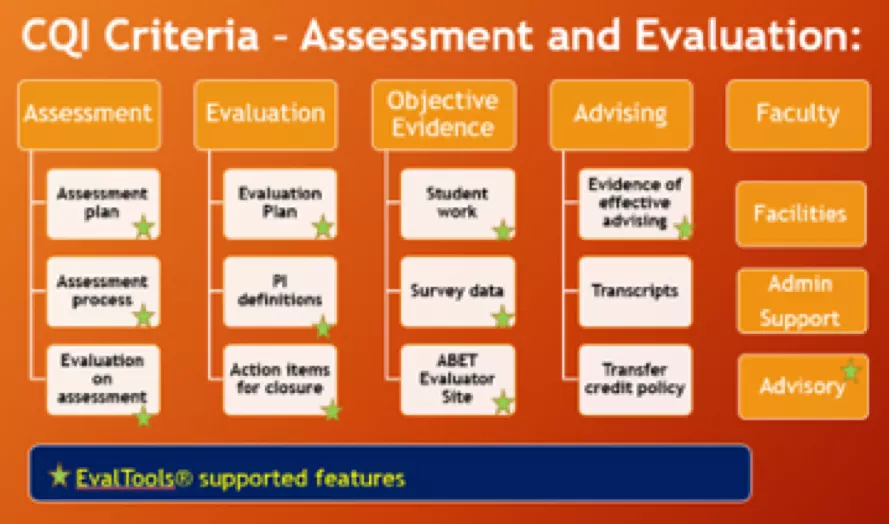
There are many features in EvalTools® that you could choose to use as you see fit for your program’s learning and teaching or assessment and evaluation. The following gives a good indication of what is supported by EvalTools®, in particular, for assessment and evaluation of programs.
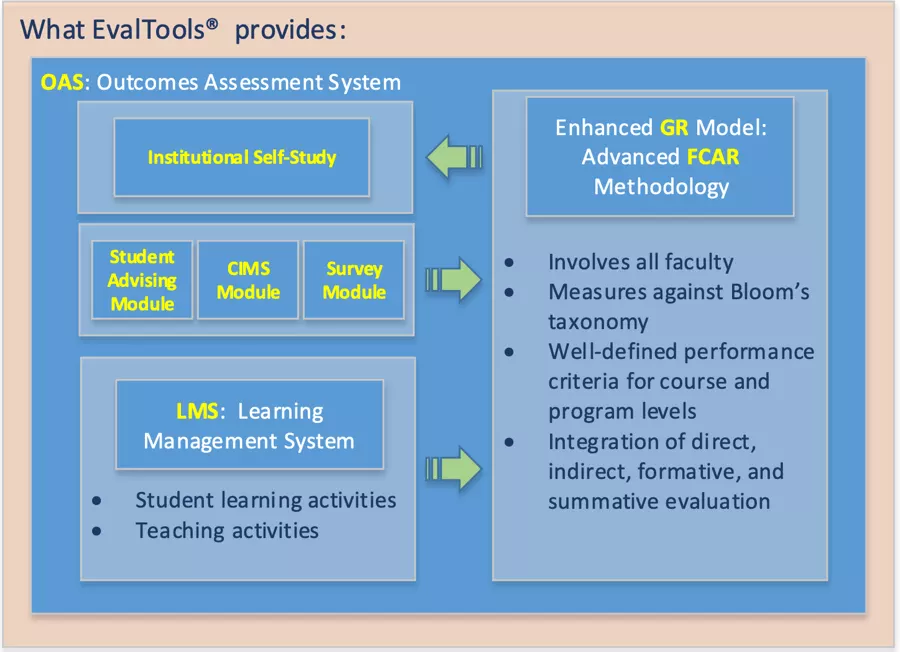
There are many features and modules provided by EvalTools®. Just on the EvalTools® OAS, the following are brief essentials:
EvalTools® 6 is the most advanced toolset for outcomes assessment. It integrates proven best assessment practices, including a Rubric-driven Assessment Model and an FCAR Assessment
EvalTools® has over 14 years of proven results in preparing programs for ABET accreditation.
We have accomplished major achievements with ABET, Middle States accreditation at several programs with implementation of latest methodologies and systems for outcomes assessment.

Our clients have submitted world class papers on several topics related to automation, continuous improvement and outcomes assessment at local and international conferences.
Why pay for separate packages for Learning Management System (LMS), Outcomes Assessment Systems (OAS), and Online Survey Systems (OSS)? EvalTools® does it all for you, and the EvalTools® reporting tool streamlines the effort and time needed to produce self-study reports.
EvalTools® 6 categorizes the quality improvement process into three levels: program educational objective assessment, student outcomes assessment, and course outcomes assessment.
EvalTools® 6 provides rich and relevant features to support each of these three levels of assessment activities.
Specifically, EvalTools® OAS is designed to address the following important issues:
Assessments Strategic Design Professional Development
Gauge the level of success in meeting program outcomes/educational objectives
Enhance teaching effectiveness via a performance-based evaluation process
Effectively track/document “closing the loop” on outcomes assessment
EvalTools® Live is a fully intergated module into EvalTools®. That means you do Not need to separately invite students to your meeting. Once you set up a meeting, students join your meeting by simply a click when they are in your classroom.
Chat – send public and private messages
Webcams – host virtual meetings
Audio – communicate using high quality audio
Emojis – express yourself
Breakout rooms – group users into breakout rooms for team collaboration
Polling – poll your users anytime
Screen sharing – share your screen
Multi-user whiteboard – draw together
Principal Office:
EvalTools® provides dashboard features for principal to view the overall teachers’ activities.
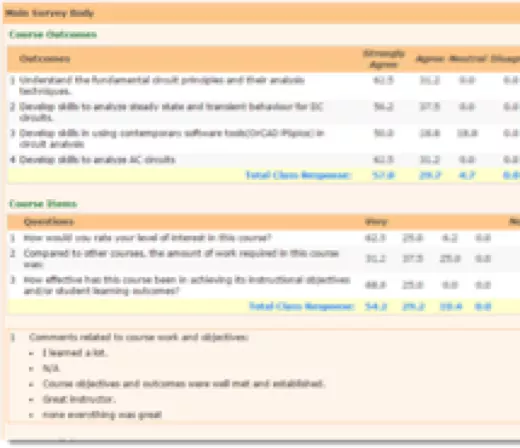
EvalTools® Survey is a comprehensive and easy-to-use survey creation and management toolset. It can generate surveys for use in a classroom environment or non-classroom environment. For a classroom environment survey such as the Course-Exit Survey, the users are the students in the class. The database for a classroom environment survey is usually automatically populated with the assistance of your system administrator. For a non-classroom environment such as the senior-exit survey, for example, are not necessary from any class roster. Hence, you will free to define or create your own users or survey participants. In either case, the survey creation process is entirely and easily customizable. EvalTools® Survey comes with the following types of questionnaires:
Regular Likert section
Weighted importance section
Qualitative section
Multiple selections section
Multiple choices section
Ranking section
EvalTools® Survey includes pre-defined templates for both categories of surveys. Regardless of how you intend to deploy your surveys for a specific study or a campus-wide survey to replace the traditional paper survey, EvalTools® is the solution for you